How Does Buy Now, Pay Later Work?
Here are answers to frequently asked questions about the Buy Now, Pay Later (BNPL) payment method offered buy Affirm within the GroupCollect Register system.
Enabling and Disabling BNPL
Where do I find the option to enable Affirm? A toggle is available on every Trip Details page.
What is the default setting for Affirm? The default setting is OFF, so you must manually enable it for each trip where you want to offer this option.
Can I change this setting after I've enabled it? You can turn BNPL on or off at any time before the trip closes.
Refunds
How do I process refunds for Affirm transactions? Process refunds the same way you do for credit cards and ACH transactions.
Who handles the customer refund process? Affirm handles the customer refund directly after you approve the refund in the system.
What happens when I process a full refund? Affirm claws back the full amount from you and refunds the customer whatever portion they have already paid.
How do partial refunds work? Partial refunds are applied to the customer's remaining loan balance.
Will passengers know that Affirm handles their refund? Yes, the refund copy has been updated to clarify that Affirm handles customer communication about refunds.
Price Changes
How do I handle price decreases? Process price decreases as a partial refund, and Affirm will handle the disbursement to the customer.
What happens if I need to increase the trip price? Price increases cannot be added to existing Affirm loans.
How do passengers pay for price increases? Passengers must pay the difference via credit or debit card through GroupCollect Register.
Will passengers be notified about price increases? Yes, the system will automatically email customers when additional payment is needed.
Application Denial
What happens if a passenger's Affirm application is denied? The passenger is automatically returned to GroupCollect Register to complete payment using another method.
Disputes
How are disputes handled with Affirm transactions? Affirm filters disputes and only sends relevant ones to you via Stripe.
Is the dispute process different from credit card disputes? No, disputes are handled exactly like current credit card disputes.
Reporting and Statement Descriptors
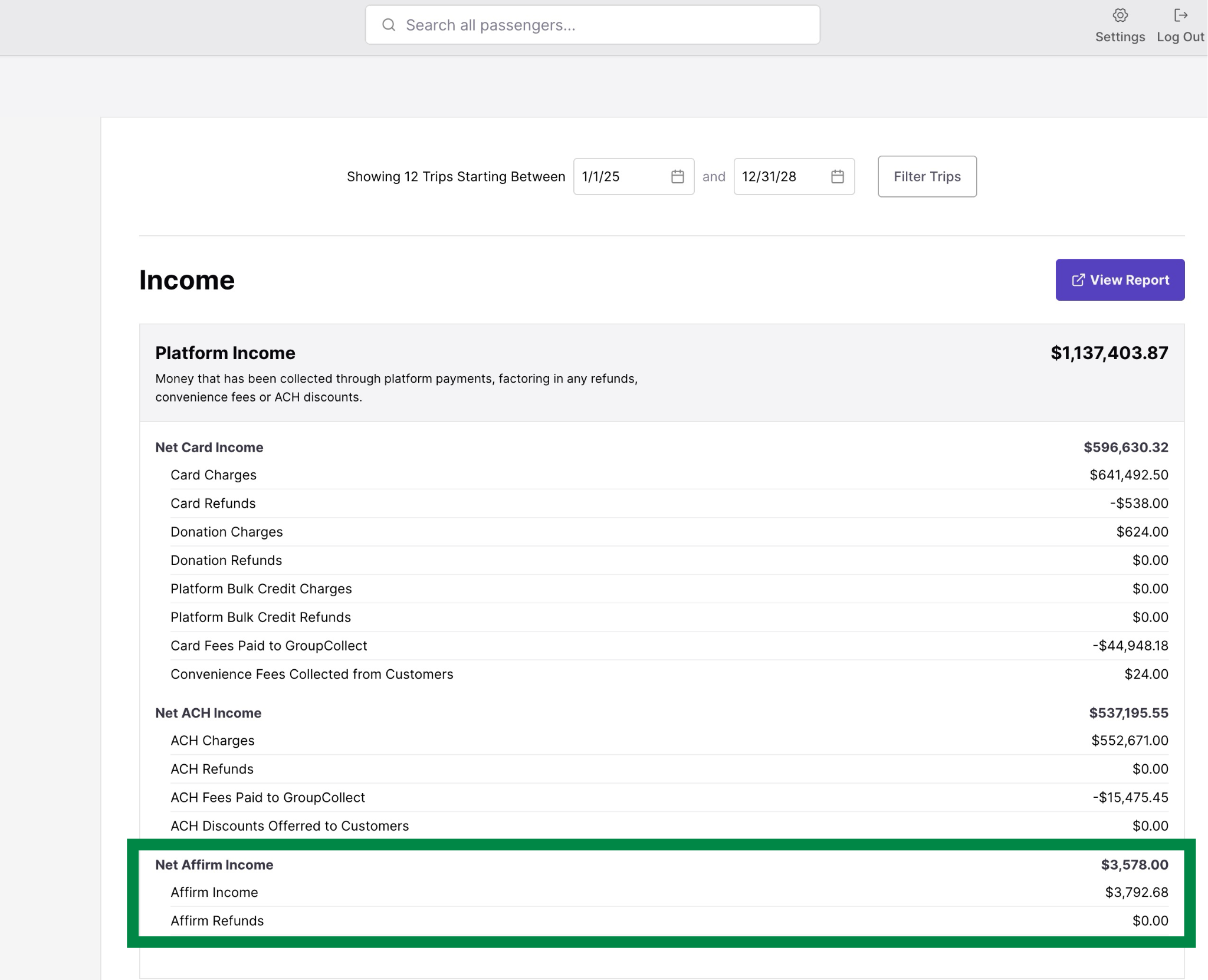
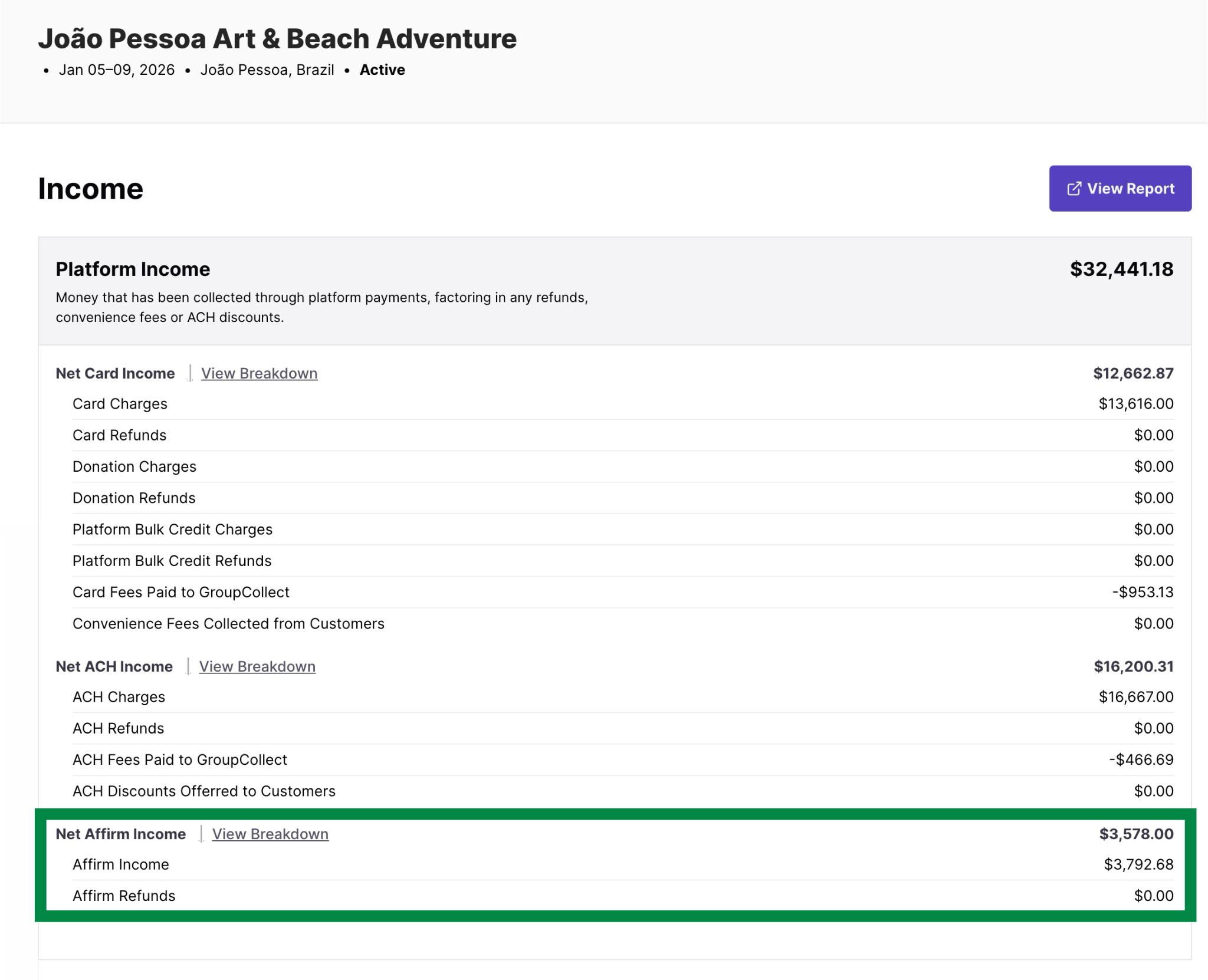
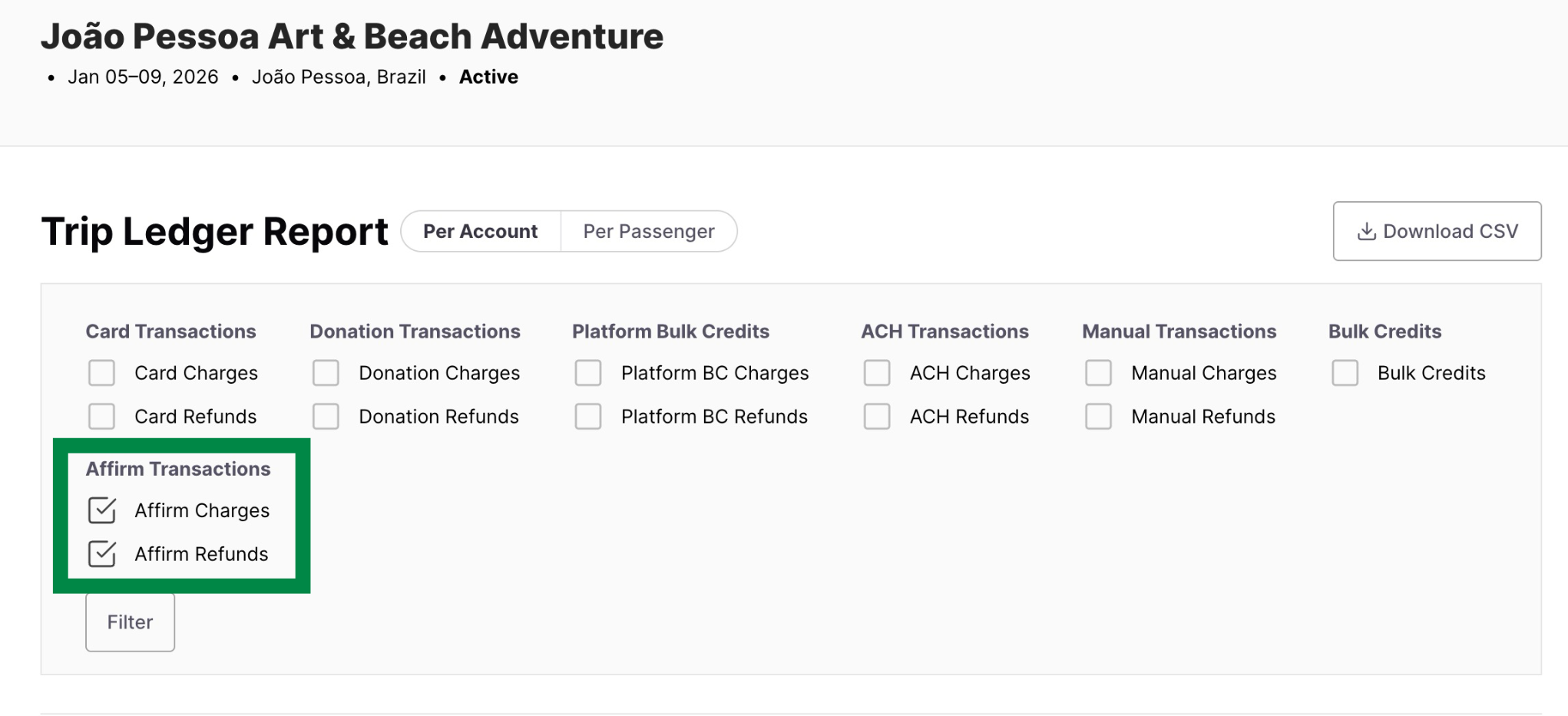
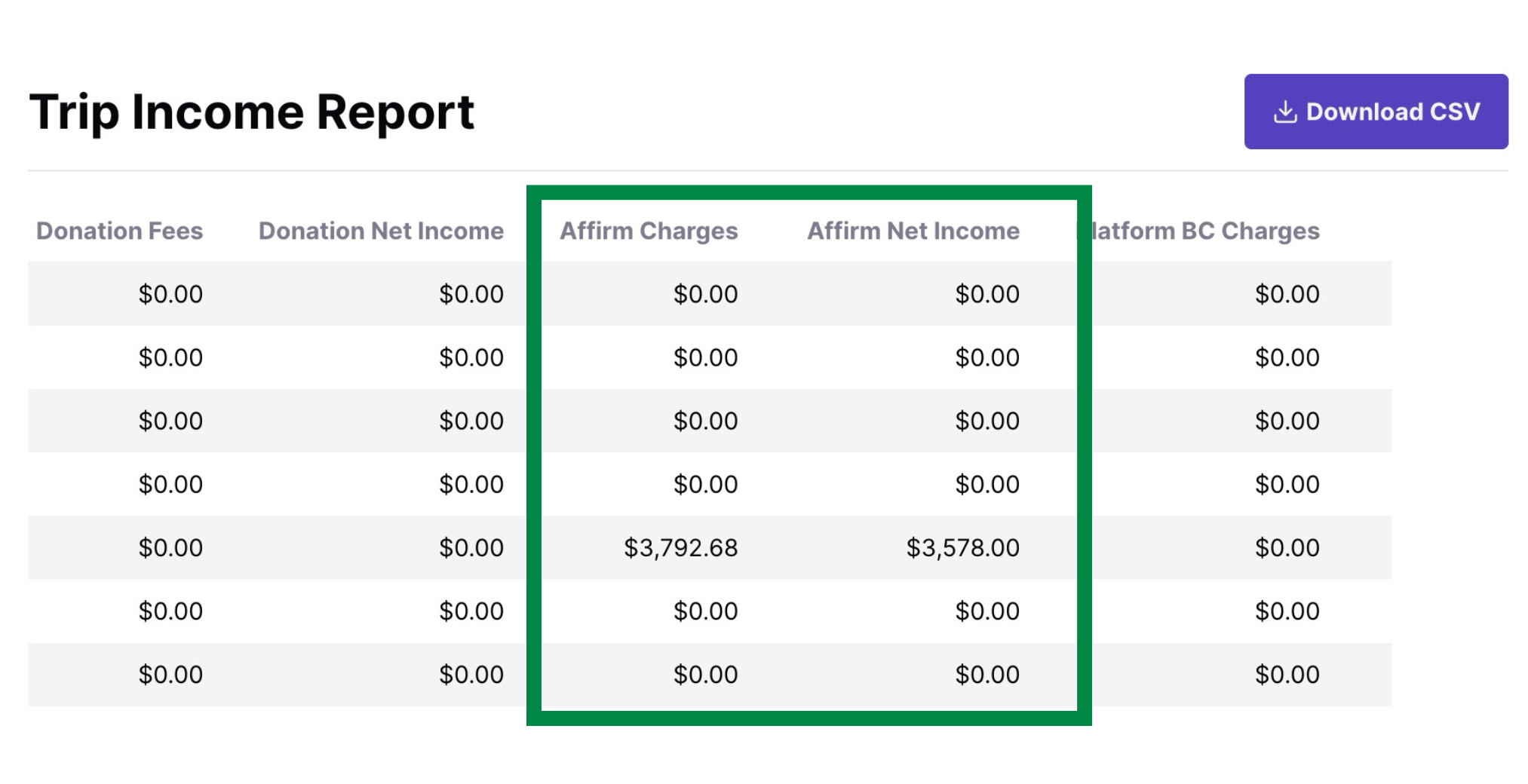
How does reporting work for BNPL transactions? You can see income that was earned through Affirm at the company level or the trip level.
Company Level: You'll be able to see net income earned through Affirm in the company-wide Income report.
Trip Level: You can also see Affirm income earned on the trip level by looking at your trip-specific income.
You can also see the information broken out on the Trip Ledger Report.
As well as the Trip Income Report.
What will customers see on their statements? Passengers see “Affirm” plus a website and phone number so they can log into their Affirm account or contact the organization. Your custom company statement descriptor will show in their Affirm account.
How long does settlement take? Settlement takes 1-3 business days.
Use Cases
When might passengers want to consider using BNPL? When there's less time than usual between registration and departure. It’s also helpful to offer when a passenger cites financial reasons for dropping out of a trip.
How can BNPL help with hesitant passengers? It can remove immediate financial barriers for prospective passengers who are on the fence about joining a trip.
Future Features
What cancellation prevention feature is coming? The BNPL option will appear in the cancellation flow when passengers request cancellation.
What is the goal of this feature? To make passengers aware of all their financial options before completing a cancelation request in case BNPL might be a good solution for them if they still want to go on the trip.